

Updating your SM theme to support cancel flows
Cancel flows give your customers a guided, multi-step cancellation experience, with the chance to surface retention offers before they cancel. In this guide, we'll walk through the theme updates needed to go live, for both current and legacy Subscription Manager versions.
Requirements
You should have basic familiarity with HTML. This guide will require making some small changes to your existing SM templates in the Advanced Editor.
Subscription Manager Version
Updating your theme with cancel flows support depends on your theme version. We recommend making a copy of your live theme to test the changes before publishing the live theme updates:
- Locate your live theme in Ordergroove > Subscriptions > Subscription Manager, click the Copy button to create a draft theme and test your changes on the new draft theme.
- With a new copy made, make a note of which theme your Subscription Manager is using, v0 or v25:
Before the September 2024 release of v25, all Subscription Manager installations were on version 0, displayed in the Theme Designer as version 0.X.X. You can check which version you’re on by going to Ordergroove > Subscription > Subscription Manager.
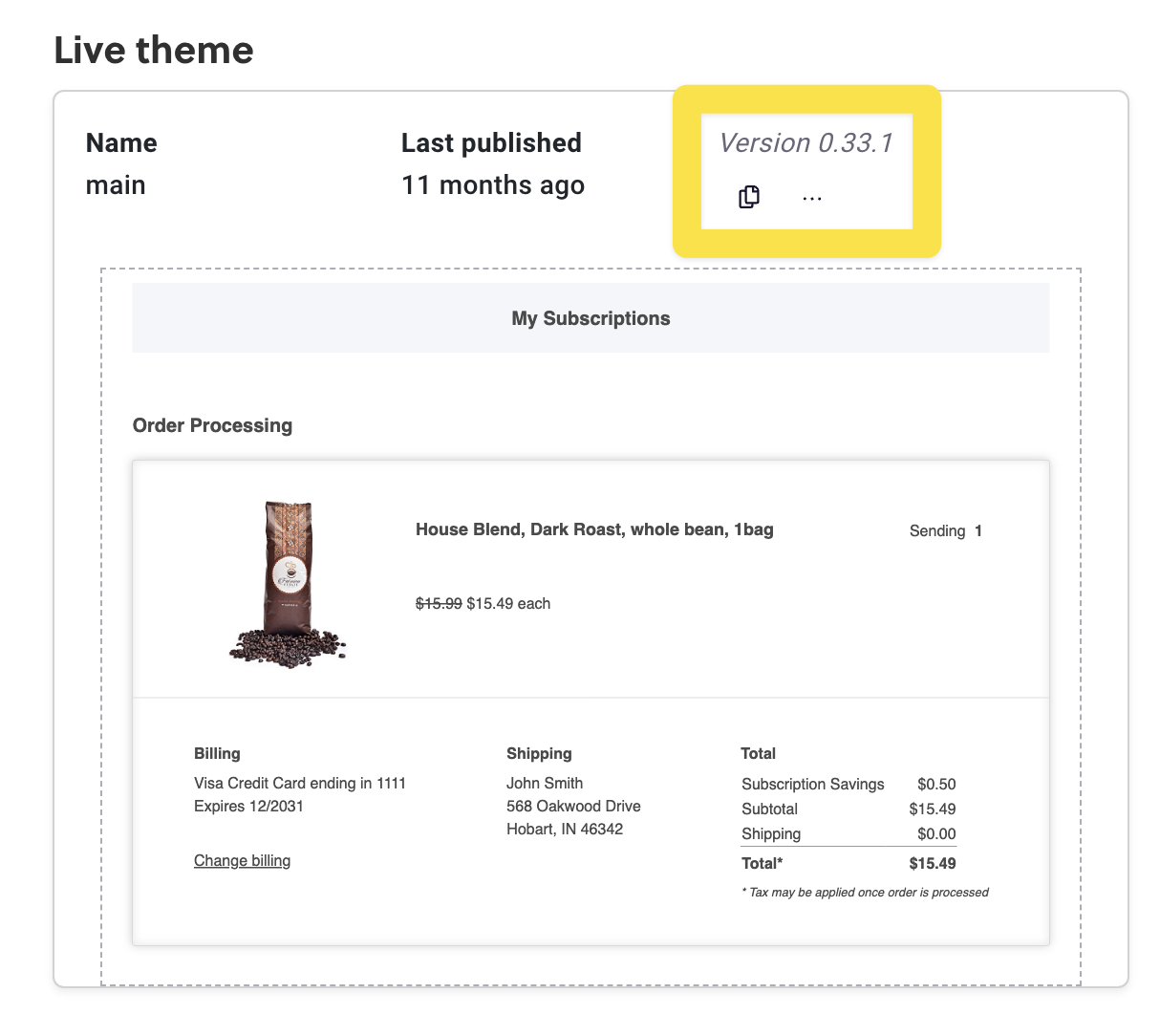
- With the version noted, click on the draft theme open the theme editor. Click on the Advanced tab to open the code editor view, and then on Views to display the list of template files.
At this point, the required changes depend on your Subscription Manager version.
Current — Subscription Manager 25.0.0+
You need to make changes to two files. If you have made additional customizations to these files, you may need to modify the instructions for your specific theme — see Advanced customizations below.
order-item/more-options-dropdown.liquid
order-item/more-options-dropdown.liquidThis file contains the code behind the dropdown menu that appears when you click "More Options".
Find this code block, just under {% if submenu_features.cancel_subscription %}:
<button
role="menuitem"
data-action
data-click-target="og-cancel-sub-dialog-{{ subscription.public_id }}"
@click="{{ 'SMDialog.open' | js }}"
>
{{ 'cancel_subscription_button' | t }}
</button>
Replace it with the following:
{% if 'cancel_flow_enabled' | setting %}
<button
role="menuitem"
data-action
onclick="window.og?.cancelFlow?.openCancelFlow({ subscriptionId: '{{ subscription.public_id }}', opener: this });"
>
{{ 'cancel_subscription_button' | t }}
</button>
{% else %}
<button
role="menuitem"
data-action
data-click-target="og-cancel-sub-dialog-{{ subscription.public_id }}"
@click="{{ 'SMDialog.open' | js }}"
>
{{ 'cancel_subscription_button' | t }}
</button>
{% endif %}
order-item/order-item-buttons.liquid
order-item/order-item-buttons.liquidThis file contains the code behind the top-level buttons next to the "More Options" dropdown.
Find this block, just under {% if can_cancel %}:
<button
data-variant="secondary"
class="og-button"
data-click-target="og-cancel-sub-dialog-{{ subscription.public_id }}"
@click="{{ 'SMDialog.open' | js }}"
>
{{ 'cancel_subscription_button' | t }}
</button>
Replace it with:
{% if 'cancel_flow_enabled' | setting %}
<button
data-variant="secondary"
class="og-button"
onclick="window.og?.cancelFlow?.openCancelFlow({ subscriptionId: '{{ subscription.public_id }}', opener: this });"
>
{{ 'cancel_subscription_button' | t }}
</button>
{% else %}
<button
data-variant="secondary"
class="og-button"
data-click-target="og-cancel-sub-dialog-{{ subscription.public_id }}"
@click="{{ 'SMDialog.open' | js }}"
>
{{ 'cancel_subscription_button' | t }}
</button>
{% endif %}
Legacy — Subscription Manager 0.x
You need to make changes to cancel-subscription.liquid. If you have made additional customizations to this file, you may need to modify the instructions for your specific theme — see "Advanced customizations" below.
Find this block:
<a
class="og-link"
@click={{ 'show_closest_modal' | js }}
>
{{ 'cancel_subscription_button' | t }}
</a>
Replace it with:
{% if 'cancel_flow_enabled' | setting %}
<a
class="og-link"
onclick="window.og?.cancelFlow?.openCancelFlow({ subscriptionId: '{{ subscription.public_id }}', opener: this });"
>
{{ 'cancel_subscription_button' | t }}
</a>
{% else %}
<a
class="og-link"
@click={{ 'show_closest_modal' | js }}
>
{{ 'cancel_subscription_button' | t }}
</a>
{% endif %}
Advanced customizations
If you have a heavily customized Subscription Manager, these files or exact code blocks may not be present. The core changes that are required to support cancel flows are:
- Add an if block checking
{% if 'cancel_flow_enabled' | setting %}. - The
elsebranch should be your existing cancel button. - The main branch should be a copy of your existing cancel button, with
onclick="window.og?.cancelFlow?.openCancelFlow({ subscriptionId: '{{ subscription.public_id }}', opener: this });"replacing any existing@clickhandler. - You should also remove any
data-click-targetattributes from the newopenCancelFlowbranch.
Final steps
After you've made the changes, use the Subscription Manager's preview functionality to confirm your changes render correctly and the cancel button still works. You'll still see your previous cancellation experience here (likely the "Suggested Actions" modal) — you won't see the new cancel flow until your updated theme is published.
When you're satisfied, publish your theme, then return to the cancel flows page to finish setting up your first cancel flow.
Updated about 1 hour ago