

Skip to navigation

Legacy Subscription Manager v0 Components & Containers

An overview of the liquid file structure of the Subscription Manager and where components and containers can be modified or restyled
View as Markdown

This article is an overview of the liquid file structure of the Subscription Manager and where components and containers can be modified or restyled. We discuss the high-level overview of the Subscription Manager that can be seen out of the box (OOTB).


Subscription Manager Wrapper

The entire Subscription Manager is wrapped in a Container and can be found in: Views > main.liquid

Within this container, there are three distinct sections:

Order Processing

Upcoming Orders

Inactive Subscriptions
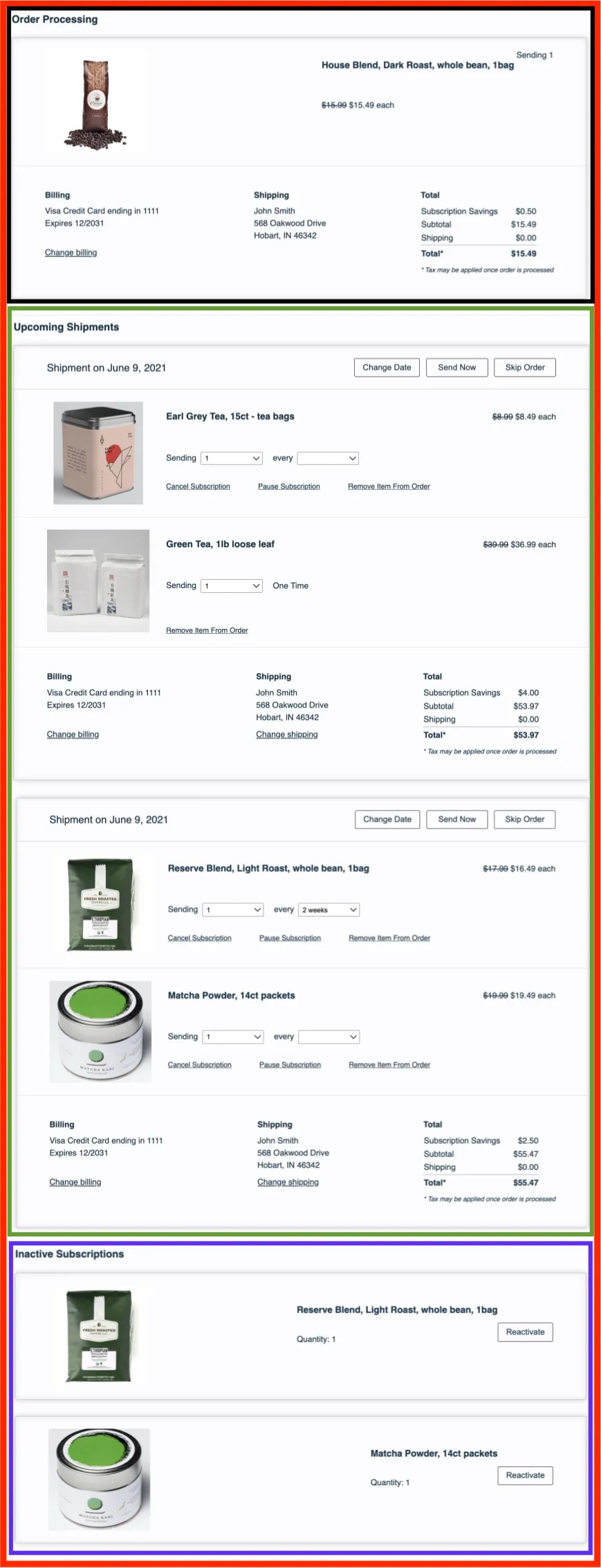
The legacy (v0) Subscription Manager as it appears out of the box, with a red outline around the whole wrapper (main.liquid) and three outlined sections. A black outline marks Order Processing, which shows one order being processed with its Billing, Shipping and Total panels. A green outline marks the Upcoming Orders section, headed Upcoming Shipments, with two shipments dated June 9, 2021, each with Change Date, Send Now and Skip Order buttons. A purple outline marks Inactive Subscriptions, which lists two products, each with a quantity and a Reactivate button.

Orders Processing

Views > orders-processing.liquid

This section appears when a customer’s order is being processed.

Order Processing Section — More Details
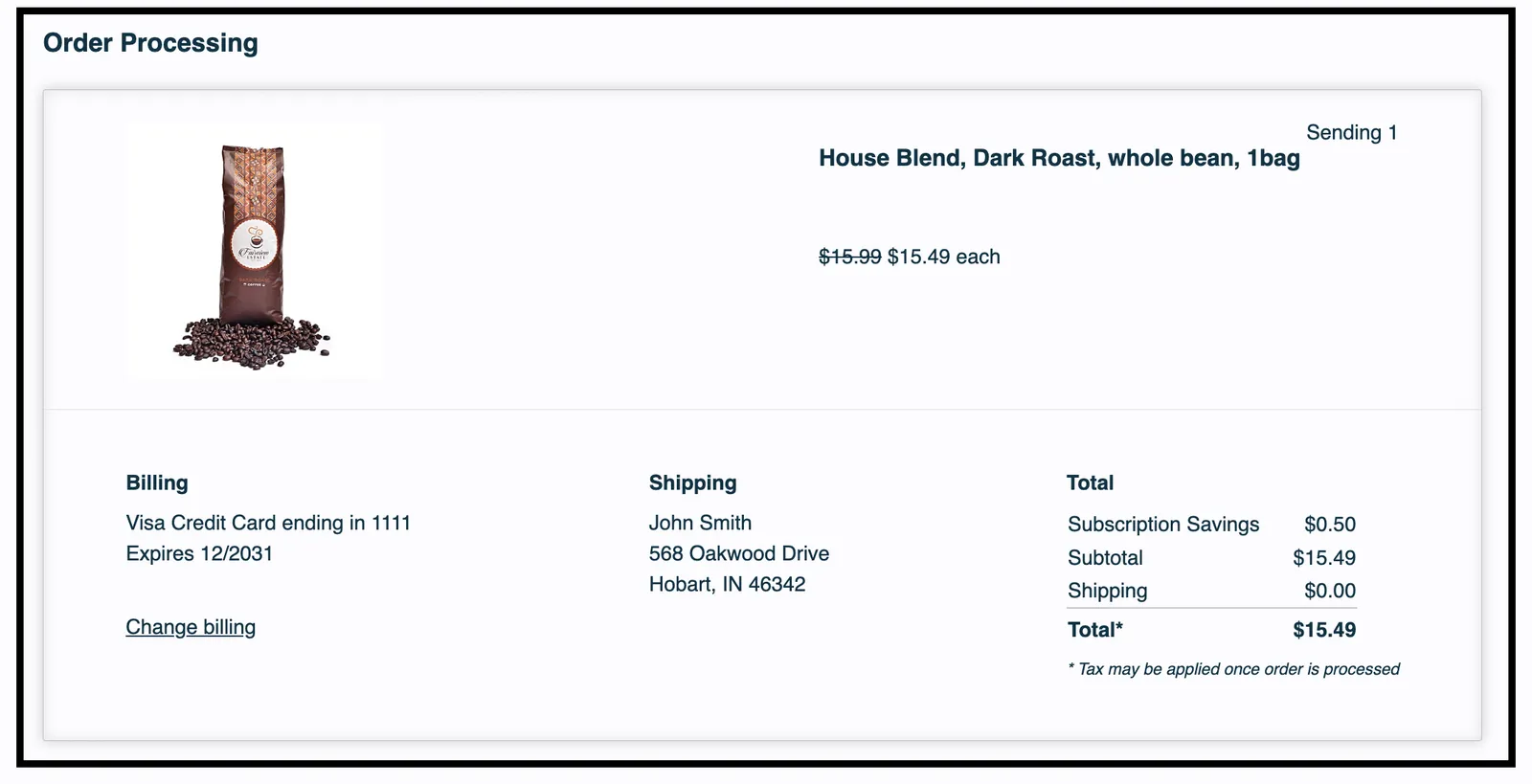
The Order Processing section of the Subscription Manager, outlined in black, showing a single order being processed. It lists one product, House Blend, Dark Roast, whole bean, 1bag, with Sending 1 at $15.49 each. Below it are Billing (a Visa card on file, with a Change billing link), Shipping (a sample name and address) and Total panels, ending in a Total of $15.49 with a note that tax may be applied once the order is processed.

Upcoming Orders Section

Views > orders-unsent.liquid

Views > order-unsent.liquid

Depending on the specific version of your Subscription Manager, this could be found in orders-unsent.liquid.

This section shows the upcoming orders for the customer.

Unsent Order Section — More Details
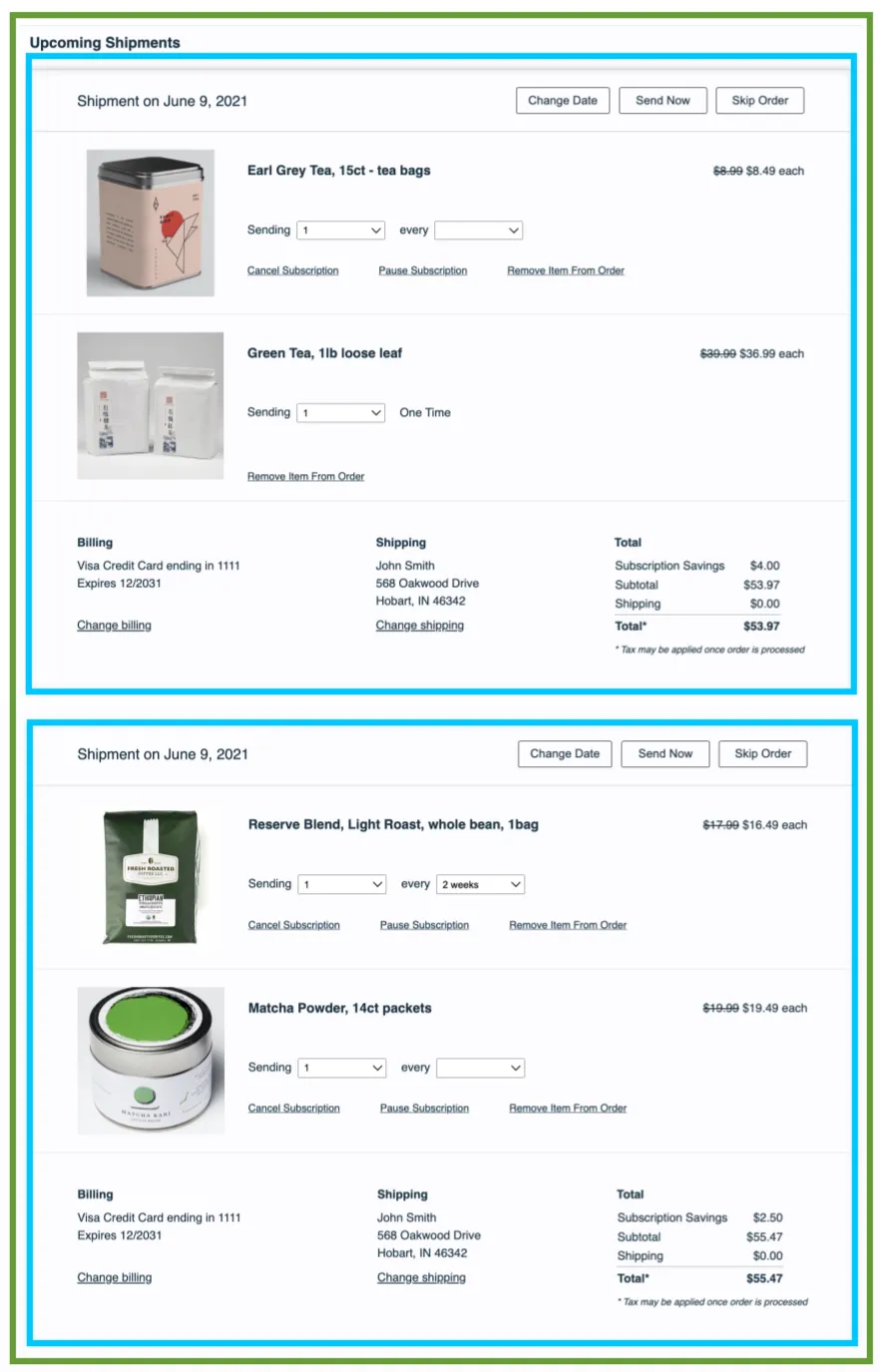
The Upcoming Shipments section of the Subscription Manager, which orders-unsent.liquid renders, outlined in green. It holds two upcoming orders, each outlined in cyan and rendered by order-unsent.liquid. Each order is headed Shipment on June 9, 2021, with Change Date, Send Now and Skip Order buttons, lists its products with price, quantity and frequency controls, and ends with Billing, Shipping and Total panels.

Inactive Subscriptions

Views > inactive-subscriptions.liquid

This section contains all inactive subscriptions for a customer.

Inactive Subscriptions Section — More Details
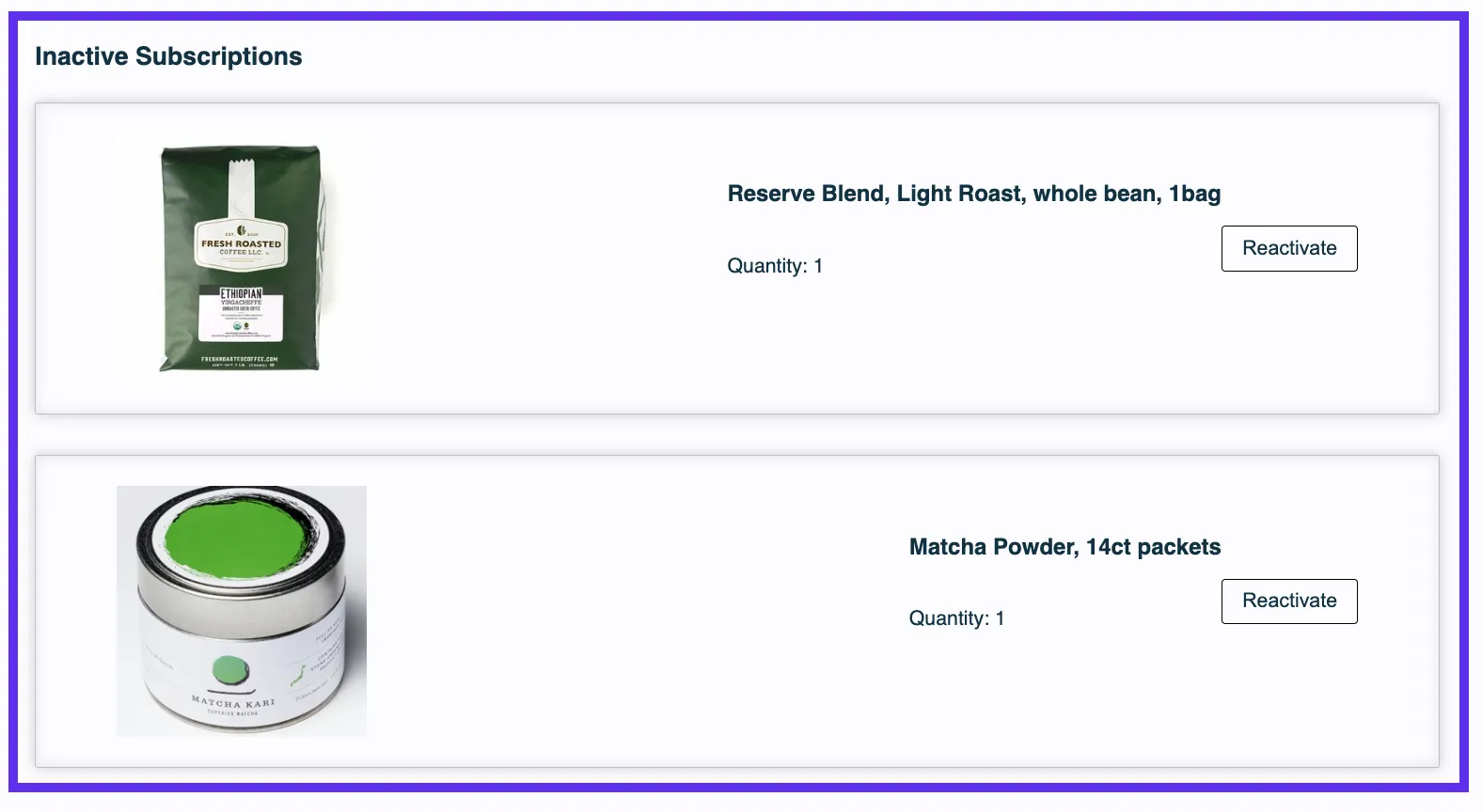
The Inactive Subscriptions section of the Subscription Manager, which inactive-subscriptions.liquid renders, outlined in purple. It lists two inactive subscriptions: Reserve Blend, Light Roast, whole bean, 1bag; and Matcha Powder, 14ct packets. Each shows a product image, Quantity: 1 and a Reactivate button.