Skip to navigation

Orders Unsent Section

An overview of the order-unsent.liquid file structure and its components

View as Markdown

This article contains information about the Orders Unsent Section in the Subscription Manager. For an overview of all elements, take a look at Subscription Manager Components & Containers.


The order-unsent.liquid file can be broken down into three sections:

Header

Body

Footer
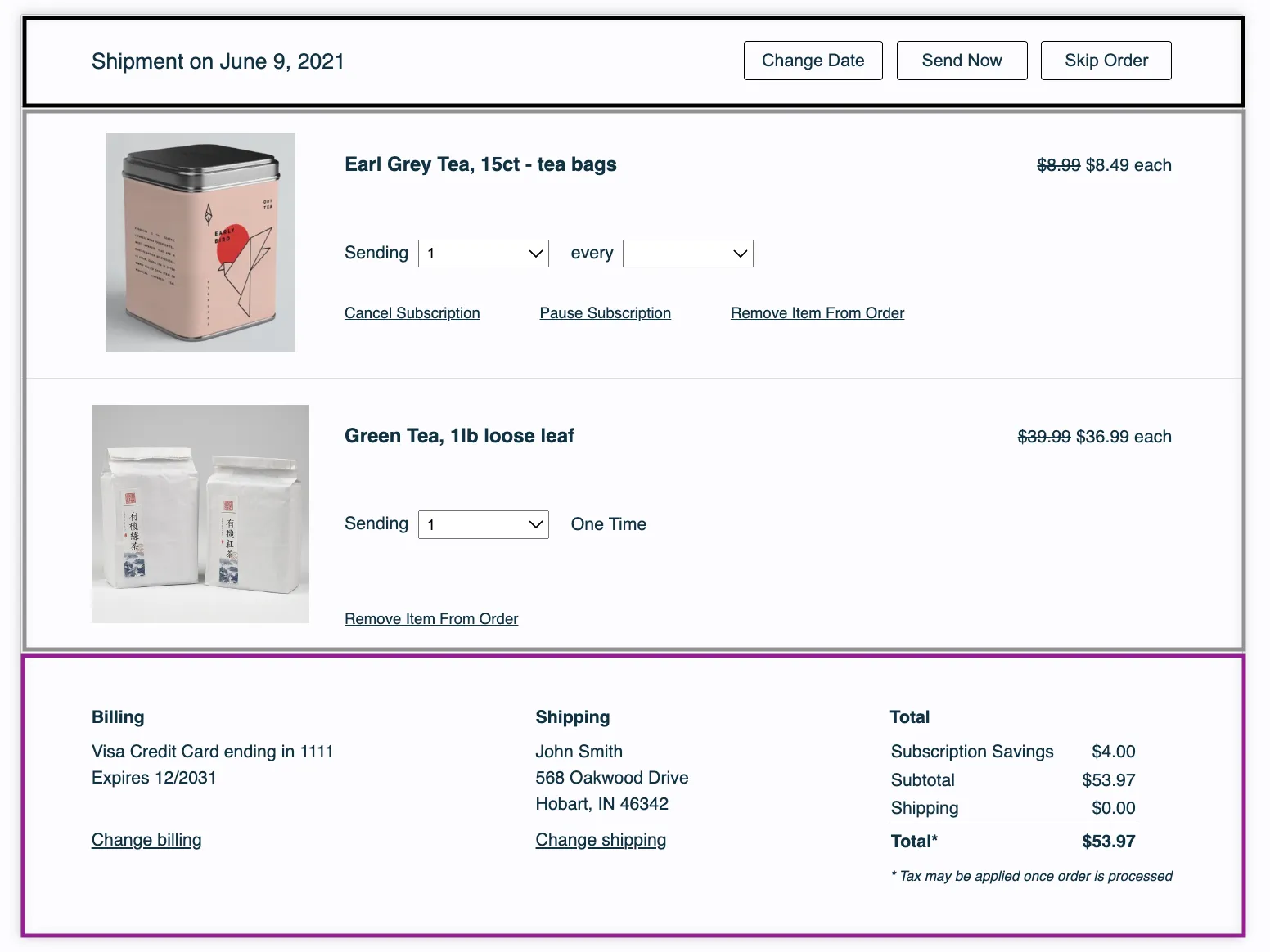
An unsent order in the legacy (v0) Subscription Manager, split into three outlined sections. A black outline marks the Header: Shipment on June 9, 2021, with Change Date, Send Now and Skip Order buttons. A gray outline marks the Body: two products, Earl Grey Tea (a subscription) and Green Tea (One Time), each with a quantity dropdown, a price and a Remove Item From Order link. A purple outline marks the Footer: Billing, Shipping and Total panels.

In this section:

Next Order Date

Order Action Buttons

The header of an unsent order in the Subscription Manager, split into two outlined parts. A black outline marks the Next Order Date, Shipment on June 9, 2021. A green outline marks the Order Action Buttons: Change Date, Send Now and Skip Order.

Next Order Date

It can be found here:

<div class="og-shipment-info">
<span class="og-shipment-on og-desktop">{{ 'shipment_unsent_header' | t }}</span>
{{ order.place | date }}
<div class="og-mobile">
{% include 'change-date' %}
</div>
</div>

Order Action Buttons

The order action buttons in the header can be found in this part of the code:

{# Shipment controls #}
<div class="og-shipment-header-controls og-desktop">
{% include 'change-date' %}
{% include 'send-now' %}
{% include 'skip' %}
</div>

Each button has its own liquid file:

  • Change Date — {% include 'change-date' %} → change-date.liquid
  • Send Now — {% include 'send-now' %} → send-now.liquid
  • Skip — {% include 'skip' %} → skip.liquid

Body

Like the header, this section is broken down into the following smaller sub-sections.

• OG Product

This section contains:

• Product Image Container

• Product Name and Price Container

• Product and Controls

• Product Description

• Frequency and Quantity Controls

• Remove Action Controls

• Price
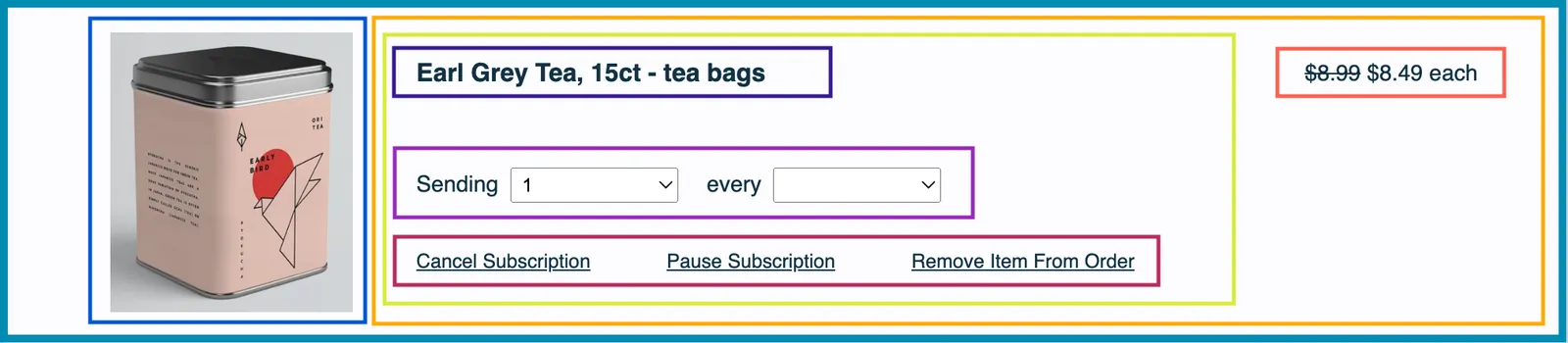
One product in an unsent order, Earl Grey Tea, outlined in teal as the og-product section, with seven outlined parts. Blue marks the Product Image Container, the tea tin photo. Orange marks the Product Name and Price Container, the rest of the row. Inside it, yellow-green marks Product and Controls, which holds the indigo Product Description (the name), the purple Frequency and Quantity Controls (the Sending quantity and every frequency dropdowns) and the crimson Remove Action Controls (Cancel Subscription, Pause Subscription and Remove Item From Order). Red-orange marks the Price, $8.99 struck through and $8.49 each.

The section can be found here:

<div class="og-product" og-item-id="{{ order_item.public_id }}" og-subscription-id="{{ order_item.subscription }}">

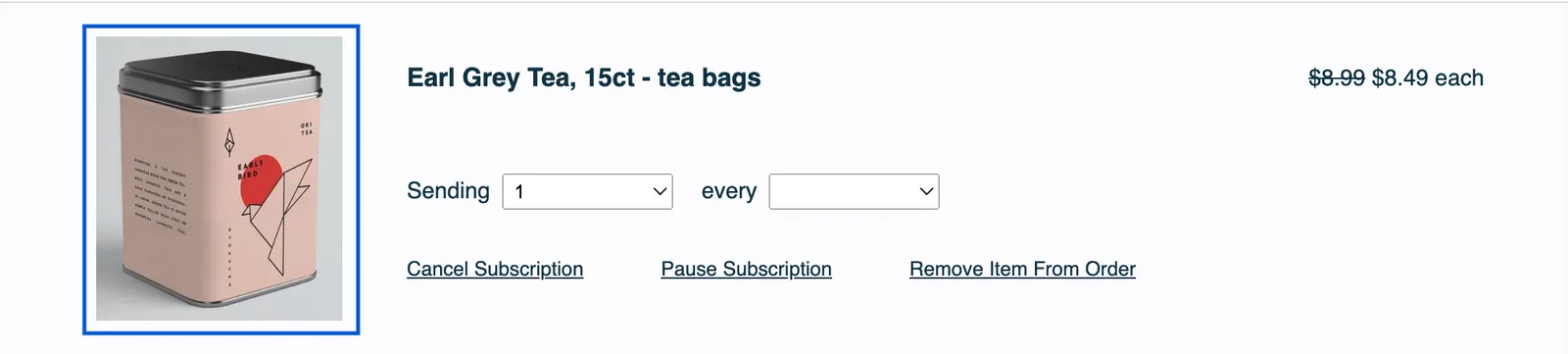
• Product Image Container

The product row of an unsent order, with the Product Image Container, the photo of an Earl Grey Tea tin on the left, outlined in blue. The name, dropdowns, links and price to its right are not outlined.

This section holds the product image and can be found here:

<div class="og-product-image-container">
<img class="og-product-image" loading="lazy" alt="{{ product.name }}" src="{{ product.image_url | if_defined }}" />
</div>

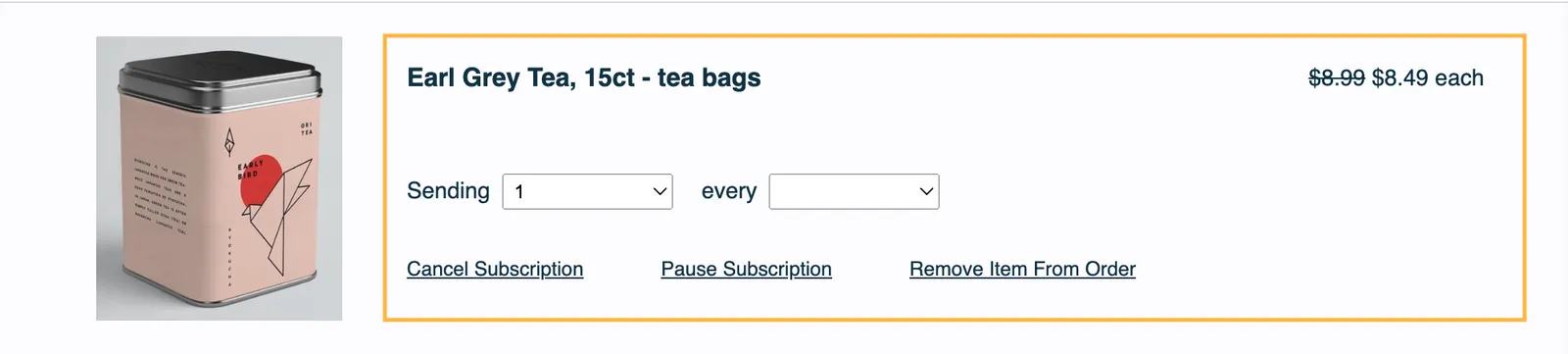
• Product Name and Price Container

The product row of an unsent order, with the Product Name and Price Container outlined in orange. It covers everything to the right of the product photo: the name, the Sending and every dropdowns, the Cancel Subscription, Pause Subscription and Remove Item From Order links, and the price.

The section can be found here:

<div class="og-name-price-controls-container">

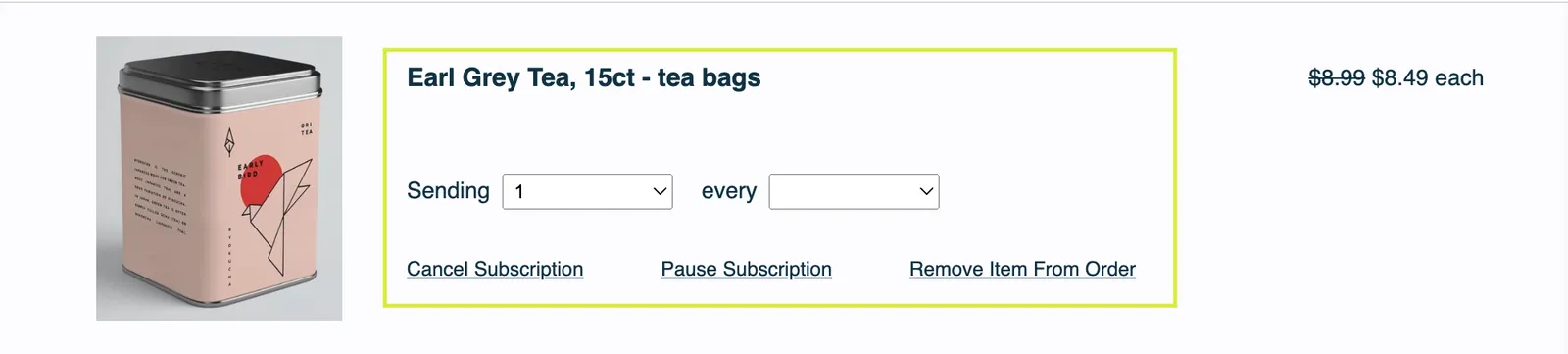
• Product and Controls

The product row of an unsent order, with Product and Controls outlined in yellow-green. It covers the product name, the Sending and every dropdowns, and the Cancel Subscription, Pause Subscription and Remove Item From Order links, but not the product photo or the price.
<div class="og-description-and-controls">

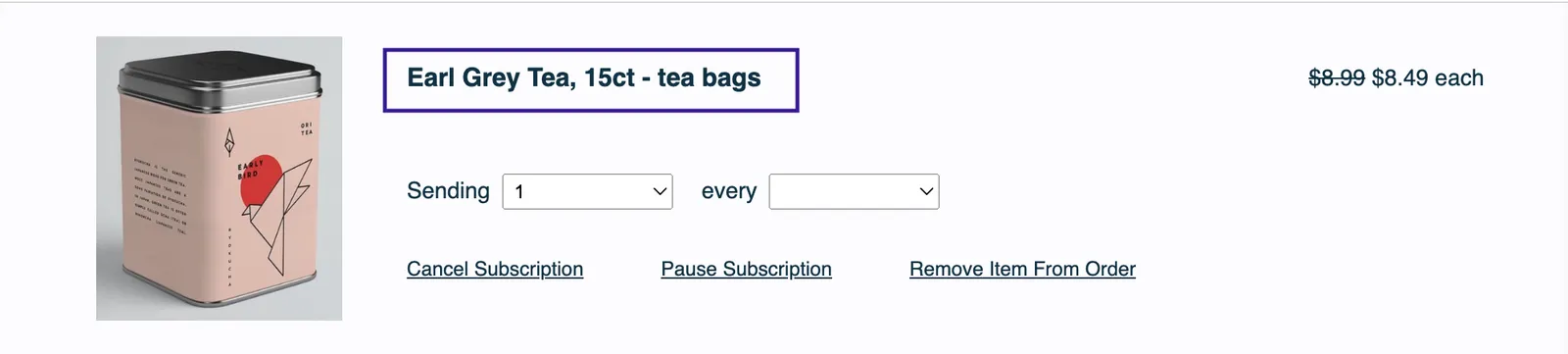
• Product Description

This section contains:

  • Product Name
  • SKU Swap
  • Item Price for Mobile
The product row of an unsent order, with the Product Description outlined in indigo. The outline contains only the product name: Earl Grey Tea, 15ct - tea bags.

The section can be found here:

<div class="og-product-description" ?data-prepaid="{{ is_prepaid }}">
<h3 class="og-product-name">
<a href="{{ product.detail_url | if_defined }}">{{ product.name }}</a>
</h3>
<h4 class="og-product-display-name">{{ product.display_name }}</h4>
{% if subscription %}
{# Change product control #}
{% include 'change-product' %}
{% endif %}
<div class="og-mobile">
{% include 'order-item-price' %}
</div>
</div>

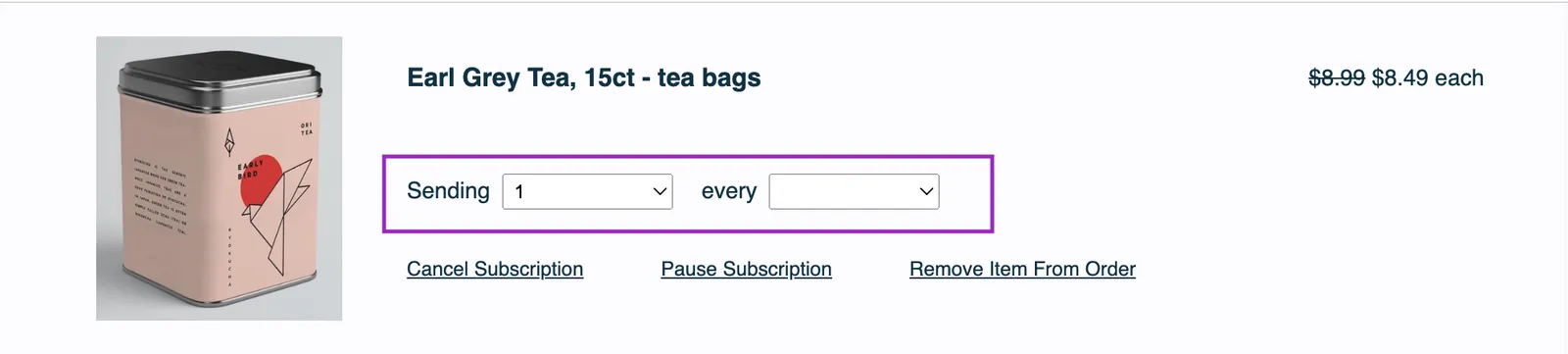
• Frequency and Quantity Controls

The product row of an unsent order, with the Frequency and Quantity Controls outlined in purple: the word Sending, a quantity dropdown showing 1, the word every, and a frequency dropdown that is blank.

The section can be found here:

<div class="og-freq-quantity-controls">
{% if subscription %}
{# Quantity control #}
{% include 'change-quantity'%}
{# Frequency control #}
<div class="og-freq">
<span>{{ 'item_controls_every' | t }}</span>
{% include 'change-subscription-frequency' %}
</div>
{% else %}
<div class="og-freq-quantity-controls">
{# Quantity control #}
{% include 'change-quantity'%}
{# One Time Frequency Display #}
<div class="og-freq">
<span>{{ 'one_time_notice' | t }}</span>
</div>
</div>
{% endif %}
</div>{# /og-freq-quantity-controls #}

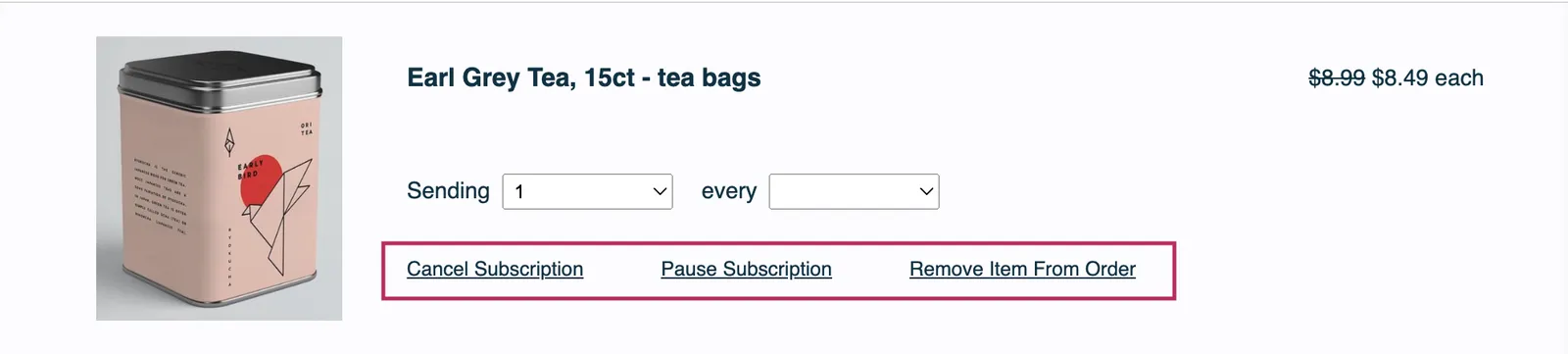
• Remove Action Controls

The product row of an unsent order, with the Remove Action Controls outlined in crimson: the Cancel Subscription, Pause Subscription and Remove Item From Order links below the dropdowns.

The section can be found here:

<div class="og-item-remove-actions">
{# If the order item has a subscription, display subscription controls #}
{% if subscription %}
{# Cancel subscription control #}
{% include 'cancel-subscription' %}
{# Pause subscription control #}
{% include 'pause-subscription' %}
{% endif %}
{# If the order item is one time or belongs to an order with more than one order item, display delete item control #}
{% if current_order_items.length > 1 or not subscription %}
{% include 'delete-item' %}
{% endif %}
</div>

Cancel subscription, pause subscription, and remove item each have their own liquid file:

  • Cancel Subscription — {% include 'cancel-subscription' %} → cancel-subscription.liquid
  • Pause Subscription — {% include 'pause-subscription' %} → pause-subscription.liquid
  • Remove Item — {% include 'delete-item' %} → delete-item.liquid

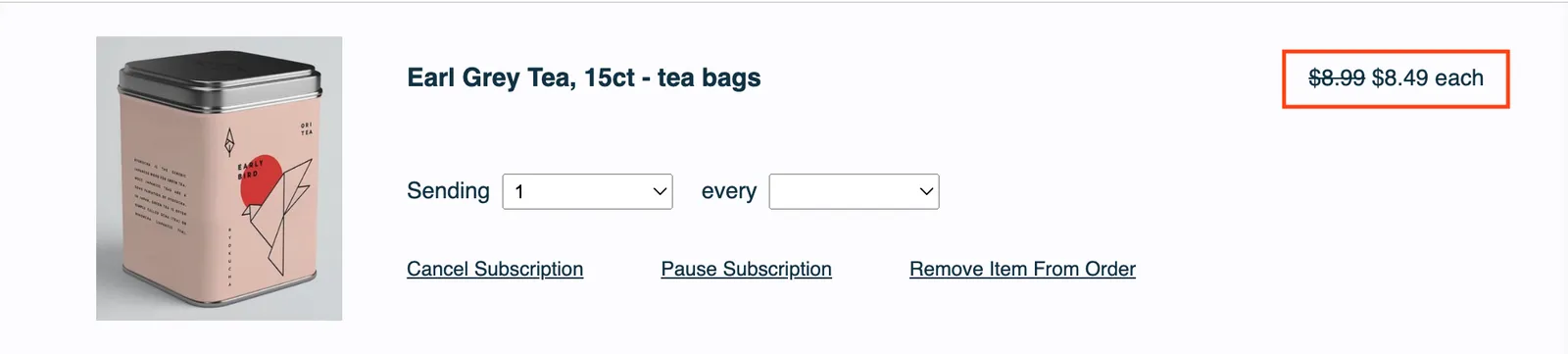
• Price

The product row of an unsent order, with the Price outlined in red-orange at the far right: $8.99 struck through, then $8.49 each.

The section can be found here:

<div class="og-desktop">
{% include 'order-item-price' %}
</div>

This is for desktop only.


This section contains:

Billing and Shipping

Order Price Summary
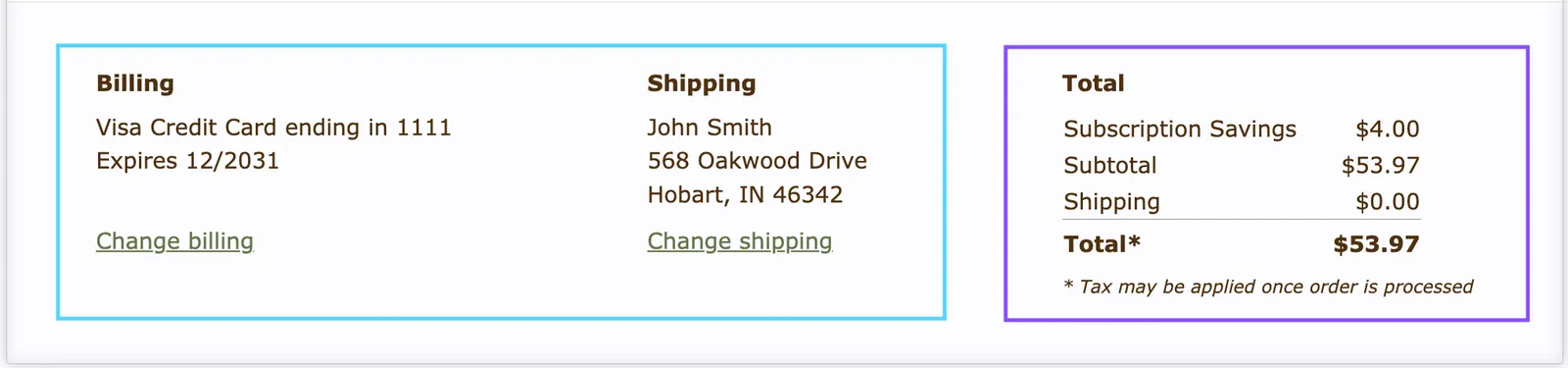
The footer of an unsent order in the Subscription Manager, split into two outlined parts. A light blue outline marks Billing and Shipping: a Visa card on file with a Change billing link, and a sample name and address with a Change shipping link. A violet outline marks the Order Price Summary, headed Total: Subscription Savings $4.00, Subtotal $53.97, Shipping $0.00 and Total $53.97, with a note that tax may be applied once the order is processed.

The code can be found here:

<div class="og-shipment-footer">
<details class="og-mobile og-mobile-payment-shipping">
<div class="og-payment-shipping">
{% include 'billing-shipping-details' %}
</div>
<div class="og-total-table-mobile">
{% include 'order-total' %}
</div>
<summary>
<div>
{{ 'billing_total_header' | t }} - {{ order.total | currency }}
</div>
</summary>
</details>{# /og-mobile-payment-shipping #}
<div class="og-payment-shipping og-desktop">
{% include 'billing-shipping-details' %}
{% include 'order-total' %}
</div>{# /og-payment-shipping #}
</div>{# /og-shipment-footer #}
  • Billing and Shipping — {% include 'billing-shipping-details' %} → billing-shipping-details.liquid
  • Order Price Summary — {% include 'order-total' %} → order-total.liquid