Skip to navigation

Dynamic Shipping Restrictions in the Subscription Manager

Restrict which states are available when customers edit their subscription shipping address
View as Markdown

Your site may have certain products that cannot be shipped to certain states. If this is the case, you can change the state choices available when a customer edits their subscription address.

Below is a step-by-step guide to implementing these restrictions. This guide targets restrictions by product ID, but you can use any identifier — for example, subscription.extra_data, product groups, order items, etc. See the Object Reference for a full list of available targets.


Subscription Manager Version

The implementation of dynamic shipping restrictions depends on your theme version. Choose the method that matches your installed Subscription Manager version.

How to Tell What Version You’re On

Before the September 2024 release of v25, all Subscription Manager installations were on version 0, displayed in the Theme Designer as version 0.X.X. You can check which version you’re on by going to Ordergroove > Subscription > Subscription Manager.
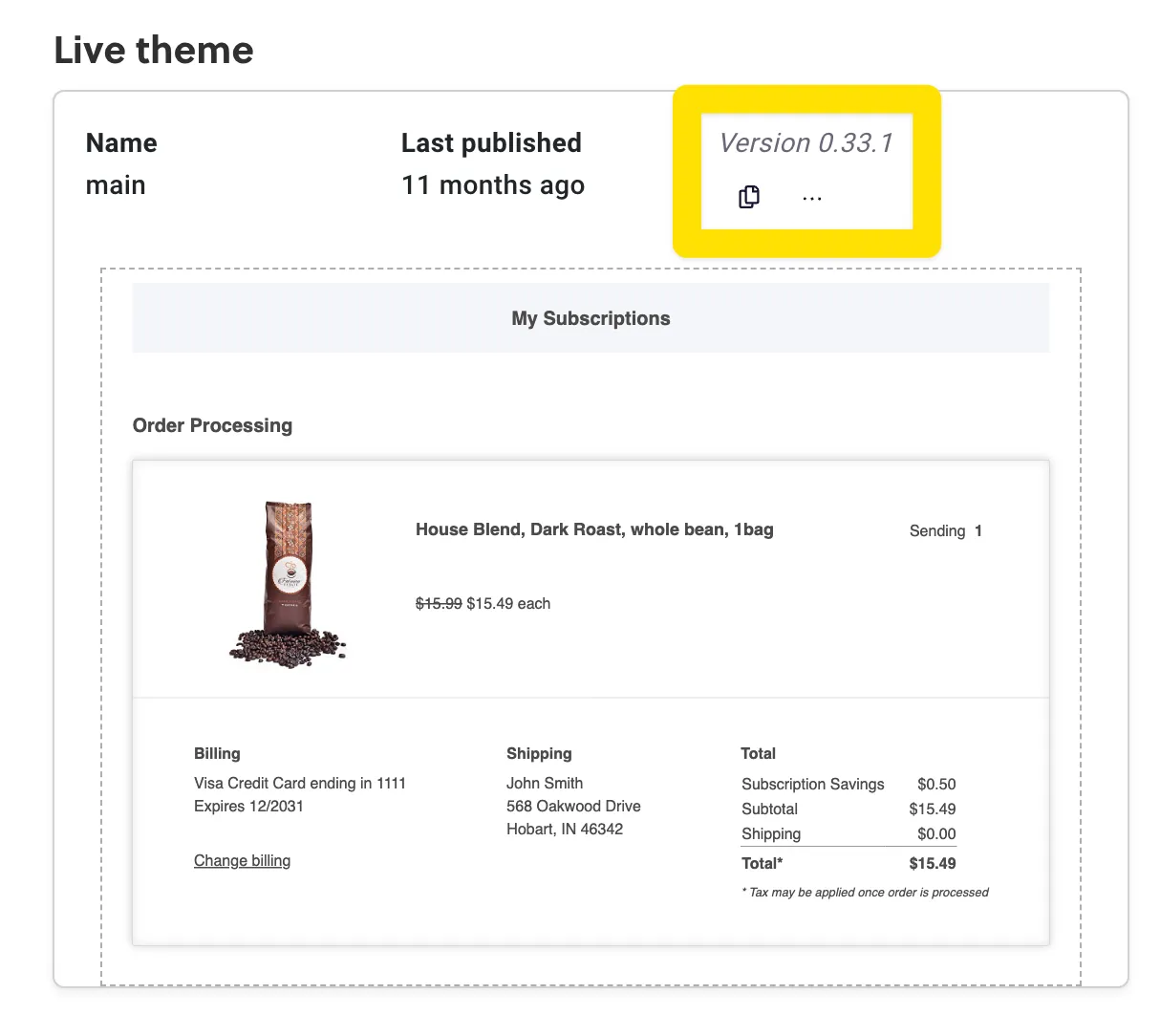
The live theme card in Subscription Manager, with the theme version, 0.33.1, highlighted

Current — smi-templates 25.0.0+

Log in to Ordergroove and go to Subscriptions > Subscription Manager > Advanced. Make the following changes to your code:

Views: order-summary/change-shipping-dialog.liquid

Locate {% set localized_countries = 'localized_countries' | t %} and add the following line below it. Modify the state codes to match the states you do not ship to:

{% set excluded_states = setting('enabled_states_restricted', ['AK', 'HI']) %}

Locate the <sm-country-state-dropdown> HTML tag and add a new .excludedStates property. The full tag should appear as follows:

<sm-country-state-dropdown
.localizedCountries="{{ localized_countries }}"
.enabledCountries="{{ enabled_countries }}"
.excludedStates="{{ excluded_states }}"
>

script.js

Locate the syncCountryAndStates function inside the SMCountryStateDropdown custom element definition. Inside the states.forEach loop, add if (this.excludedStates.includes(code)) return; before calling the createOption function. The updated function should look similar to this (minor updates may have occurred in your version):

async syncCountryAndStates(countryValue) {
const countriesByCode = await countriesDataPromise;
const selectedCountry = countriesByCode[countryValue];
const states = selectedCountry ? selectedCountry.regions : null;
const currentOptions = this.stateSelect.querySelectorAll('option');
currentOptions.forEach(option => {
// Clear all options except default blank option
if (option.value !== '') option.remove();
});
if (states && states.length) {
states.forEach(({ code, name }) => {
if (this.excludedStates.includes(code)) return; // this is the updated line
createOption(code, name, this.stateSelect);
});
}
}

Subscription Manager 0.33.3 – 0.41.1

Log in to Ordergroove and go to Subscriptions > Subscription Manager > Advanced. Make the following changes to your code:

Views: change-shipment-address.liquid

Locate {% set localized_countries = 'localized_countries' | t %} and add the following line below it. Modify the state codes to match the states you do not ship to:

{% set excluded_states = setting('enabled_states_restricted', ['AK', 'HI']) %}

Locate and replace the <select> element for state with the following:
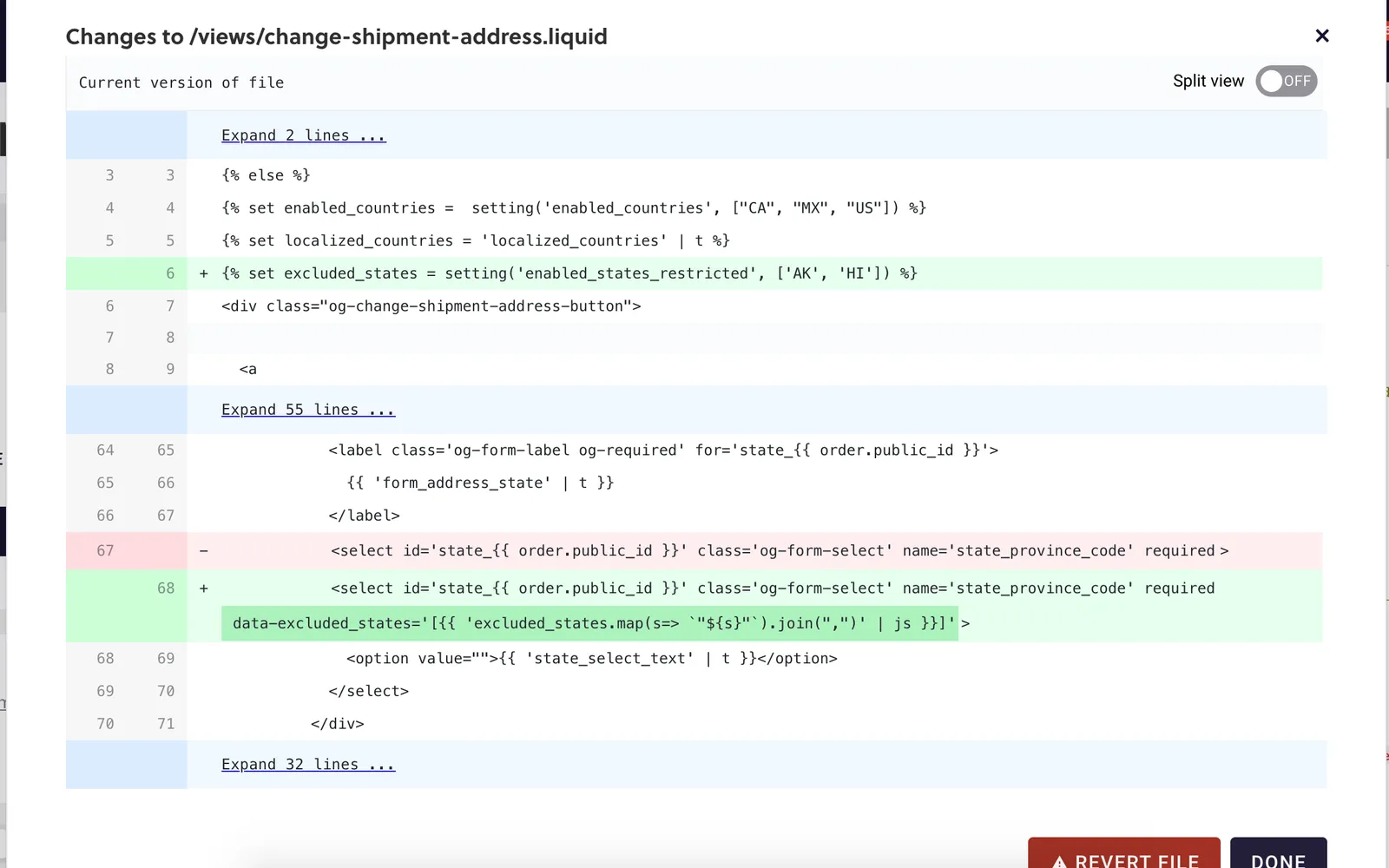
<select id='state_{{ order.public_id }}' class='og-form-select' name='state_province_code' required data-excluded_states='[{{ 'excluded_states.map(s=> `"${s}"`).join(",")' | js }}]'>
The Subscription Manager code editor's changes dialog for /views/change-shipment-address.liquid, with two additions in green: an excluded_states setting at line 6, and a data-excluded_states attribute on the state select element, replacing the line shown in red.

script.js

Locate const stateSelectElement = ev.target.closest('form').querySelector('[name="state_province_code"]') and add the following line below it:

const excludedStates = JSON.parse(stateSelectElement.dataset.excluded_states || '');

Locate states.forEach(({ code, name }) => { and add the following line:
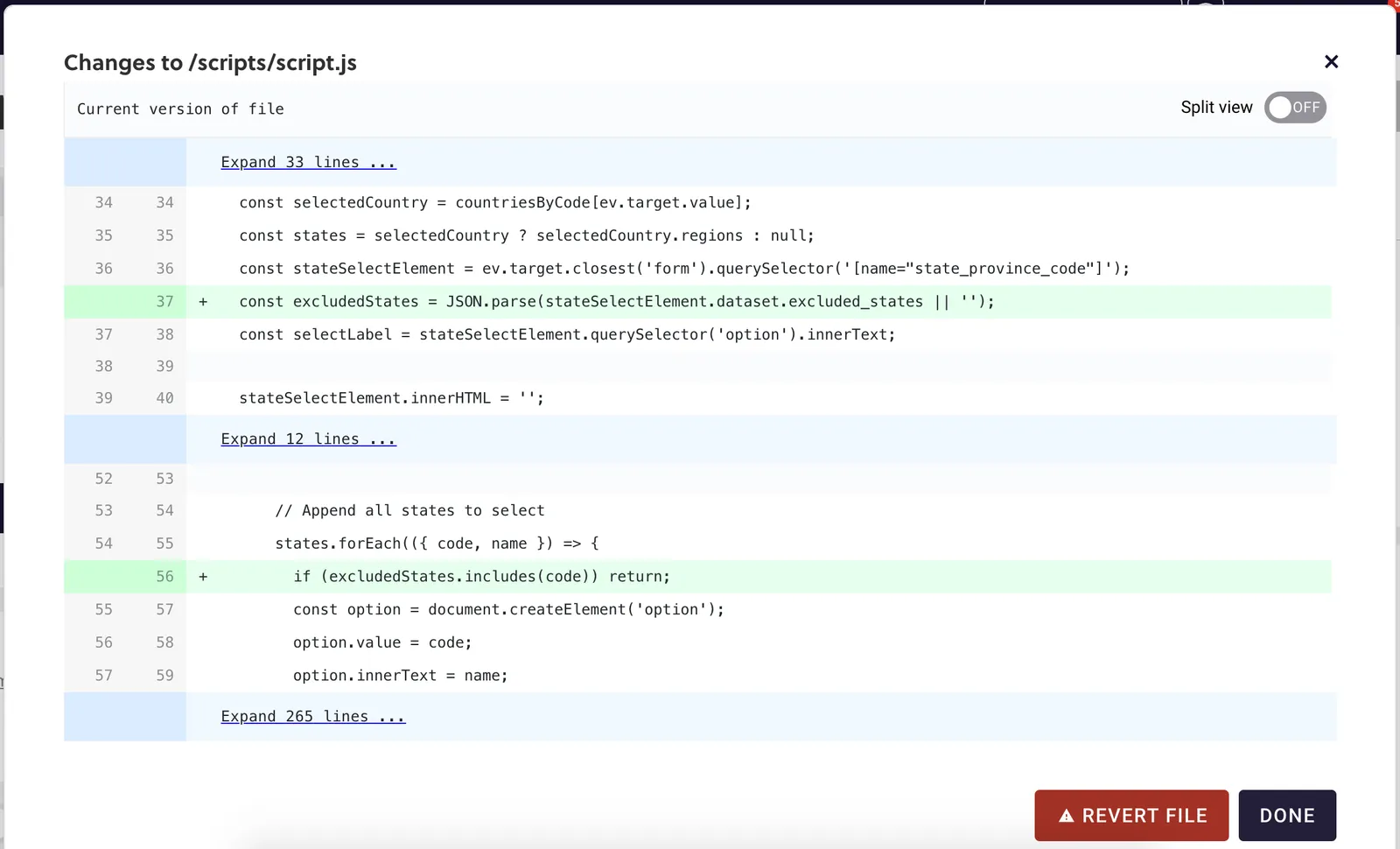
if (excludedStates.includes(code)) return;
The Subscription Manager code editor's changes dialog for /scripts/script.js, with two additions in green: line 37 declares excludedStates by parsing the select element's data-excluded_states attribute, and line 56, inside the states.forEach loop, returns early when excludedStates includes the code.

Legacy — Subscription Manager 0.33.2 and Earlier

Step 1: Set All States for the Shipping Dropdown

Set a list of all localized_states you want available for non-restricted products and put that in a JSON object in the en-US.json file.
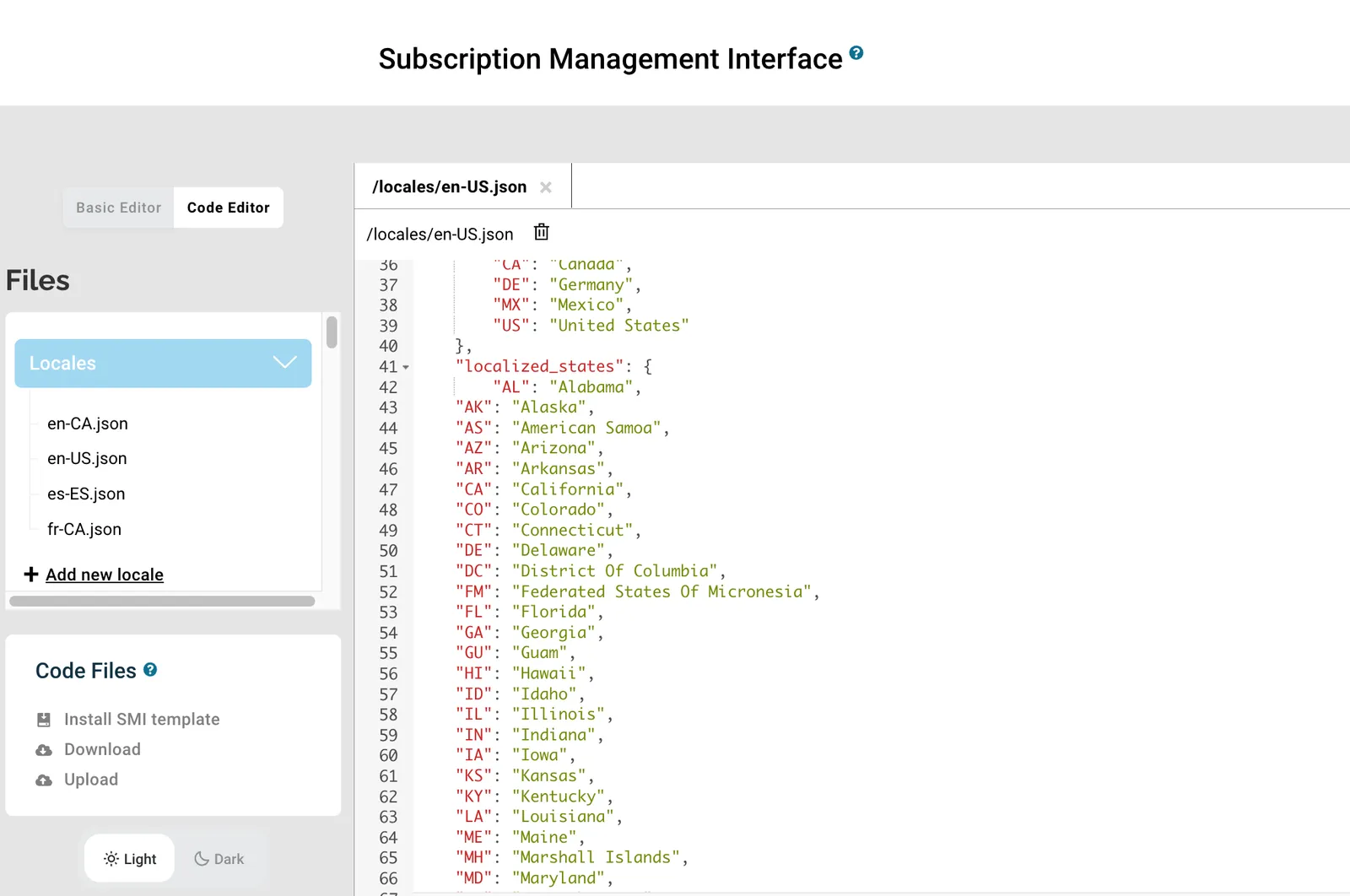
The Subscription Manager's Code Editor, with the Locales folder open and /locales/en-US.json showing the localized_states object from line 41, which lists state codes and names such as AL Alabama, AK Alaska and AS American Samoa.

Step 2: Set the Variables

In change-shipment-address.liquid, set the full list of enabled states (enabled_states_all) and the list of restricted states (enabled_states_restricted). These will be the two lists pulled into the select form based on the criteria. Also set the states object pointing to the localized_states list defined in step 1.

Then set restricted_products to false and run a for loop to iterate over all items in an order and evaluate the product group name or product ID. restricted_products becomes true if the product or group is found.

{% set enabled_states_all = setting('enabled_states_all', ["AK", "AL", "AR", "AS", "AZ", "CA", "CO", "CT", "DC", "DE", "FL", "GA", "GU", "HI", "IA", "ID", "IL", "IN", "KS", "KY", "LA", "MA", "MD", "ME", "MI", "MN", "MO", "MP", "MS", "MT", "NC", "ND", "NE", "NH", "NJ", "NM", "NV", "NY", "OH", "OK", "OR", "PA", "PR", "RI", "SC", "SD", "TN", "TX", "UT", "VA", "VI", "VT", "WA", "WI", "WV", "WY"]) %}
{% set enabled_states_restricted = setting('enabled_states_restricted', ["CO", "CT", "DC", "DE", "FL"]) %}
{% set states = 'localized_states' | t %}
{% set restricted_products = false %}
{% set current_order_items = order_items | select(order=order.public_id) %}
{% for order_item in current_order_items %}
{% set restricted_products = (restricted_products or (order_item.product == "42328611848362")) %}
{% endfor%}

Step 3: Switch State from Input to Select

Replace the state input field with a select dropdown. Use the restricted_products flag to determine which list of states to offer:

<div class='og-form-group og-col'>
<label class='og-form-label {{ 'og-required' if 'required_fields.shipping_address.state_province_code' | setting }}' for='state_{{ order.public_id }}'>
{{ 'form_address_state' | t }}
</label>
<select class='og-form-select' name='state_province_code' id='state_{{ order.public_id }}' ?required='{{ 'required_fields.shipping_address.state_province_code' | setting }}'>
{% if restricted_products %}
{% for state_province_code in enabled_states_restricted %}
<option value='{{ state_province_code }}'>{{ states[state_province_code] }}</option>
{% endfor %}
{% else %}
{% for state_province_code in enabled_states_all %}
<option value='{{ state_province_code }}'>{{ states[state_province_code] }}</option>
{% endfor %}
{% endif %}
</select>
</div>

Step 4: Disable the “Update All” Checkbox

If a customer has products that aren’t shippable to certain states, suppress their ability to use the “update for all” feature on orders that offer the full state list. A state chosen there may be one the restricted products can’t ship to, so applying it to every subscription could send them to an unsupported state. Orders that contain restricted products only offer states every product can ship to, so they can keep the checkbox. That’s why the code below disables it in the else branch.

<div class='og-input-group'>
{% if restricted_products %}
<input type='checkbox' class='og-check-radio' name='use_for_all' id='use_for_all_{{ order.public_id }}' />
<label class='og-check-radio-label' for='use_for_all_{{ order.public_id }}'>Use for all shipments</label>
{% else %}
<input type='checkbox' disabled="disabled" class='og-check-radio' name='use_for_all' id='use_for_all_{{ order.public_id }}' />
<label class='og-check-radio-label' for='use_for_all_{{ order.public_id }}'>Use for all shipments disabled due to product shipping restrictions</label>
{% endif %}
</div>

Example Result

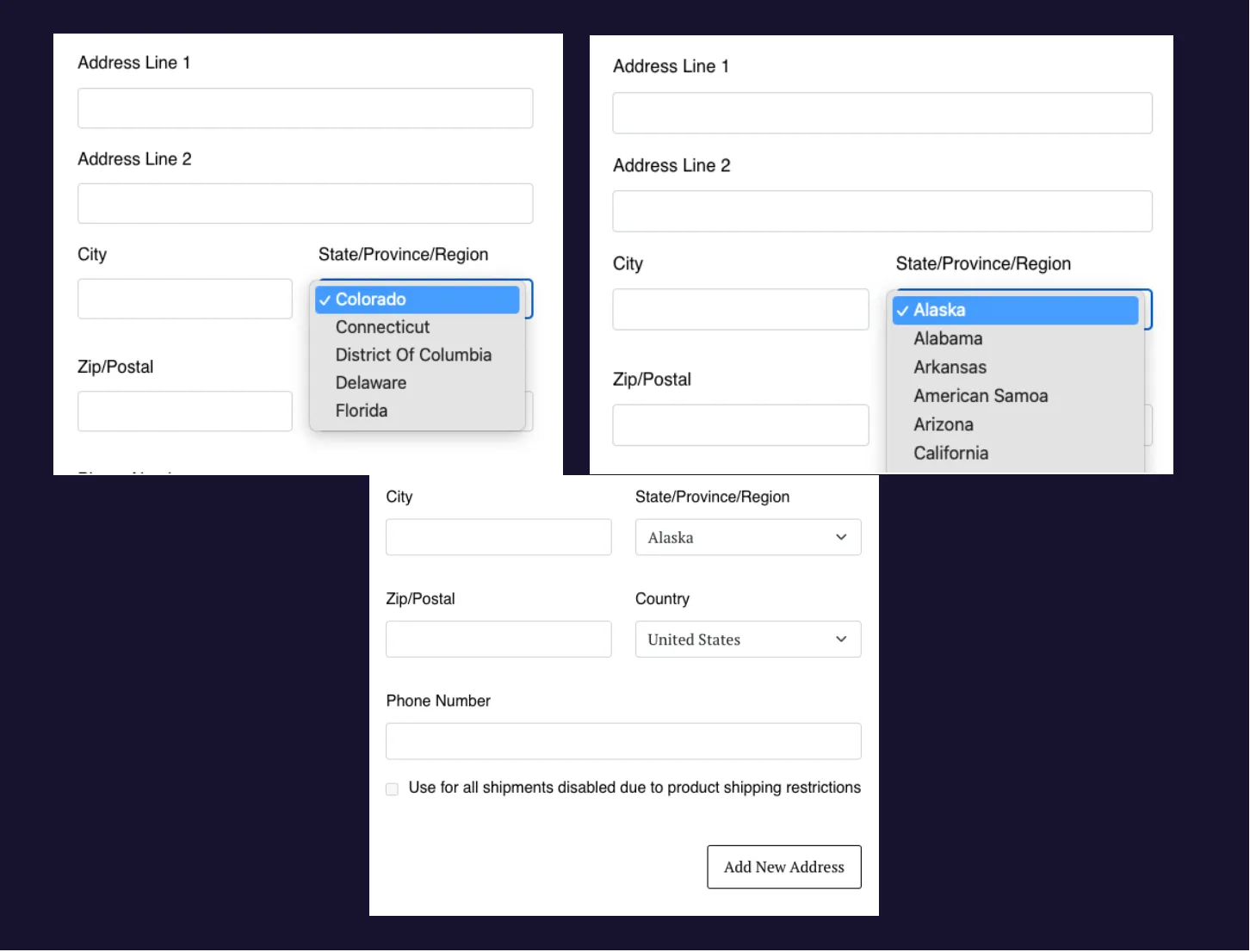
Three views of the Subscription Manager's address form, focused on the State/Province/Region field. One dropdown lists only five states: Colorado, Connecticut, District Of Columbia, Delaware and Florida. Another shows a longer list, beginning Alaska, Alabama and Arkansas. The third shows the form's lower half, with Country set to United States, a grayed-out checkbox labeled Use for all shipments disabled due to product shipping restrictions, and an Add New Address button.